K6 import
K6 is an open source load testing tool from Grafana Labs. A K6 test is written in JavaScript or TypeScript, and OctoPerf runs it as it is on its load generators: the script keeps its own requests, checks and logic, while OctoPerf brings the load generators, the load policy of the scenario and the reports.
Note
A K6 Virtual User holds script files, one K6 Script action each: its requests are not edited one by one in OctoPerf as those of a JMeter Virtual User are. Keep the scripts in your repository, and import them again when they change.
Import your scripts
Select the K6 Scripts card when you create a Virtual User, then upload the files of your test, .js or .ts:
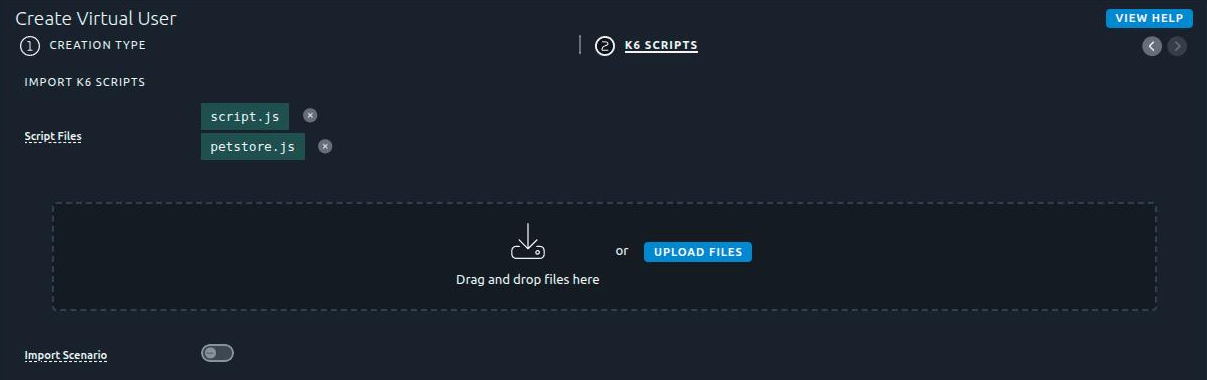
- The first file is the entrypoint, the script K6 runs. It also names the Virtual User:
script.jsgivesscript. The entrypoint can be changed afterwards in the user profile of each scenario. - The other files are the modules the entrypoint imports. A relative import resolves by file name:
import { viewCatalog } from './petstore.js'finds thepetstore.jsyou uploaded, whatever folder it came from. A file uploaded twice replaces the previous one. - Remote modules imported with an
https://URL work as they are. octoperf.jsand the files starting with__octoperf_are left out: OctoPerf generates them on its load generators. The folder of a downloaded K6 Virtual User can thus be uploaded again as it is. An upload made only of these files is refused.- npm packages are not installed: there is no
npm install, so a script depending on one must be bundled first, as the K6 documentation explains.
Data files read with open(), a CSV or a JSON file, are not uploaded here: add them to the Files Manager of the project.
Click Create Virtual User to import the files.
Note
Without any file, the button reads Create Sample VU and creates a K6 script testing our demo application.
Import the scenario
A K6 script usually declares its load in its options: vus and duration, stages, or scenarios. Switch Import Scenario on to create, along with the Virtual User, the scenario that reproduces this load:
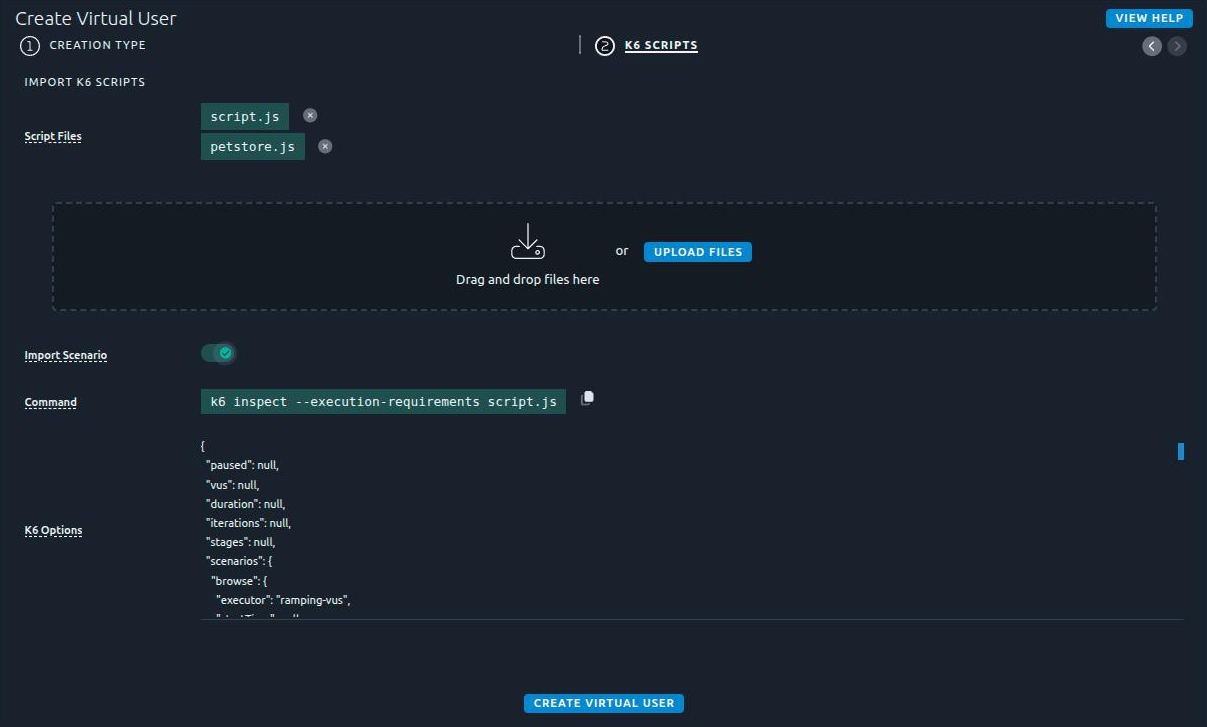
OctoPerf never runs your script to read its options, so K6 resolves them on your machine:
- Copy the Command shown,
k6 inspect --execution-requirements <entrypoint>, and run it in the folder of your scripts. It requires a local K6 installation. - Paste the JSON it prints into K6 Options.
Warning
The --execution-requirements flag matters: without it, K6 prints no scenarios for a script using the vus, duration or stages shortcuts, and the form refuses the options.
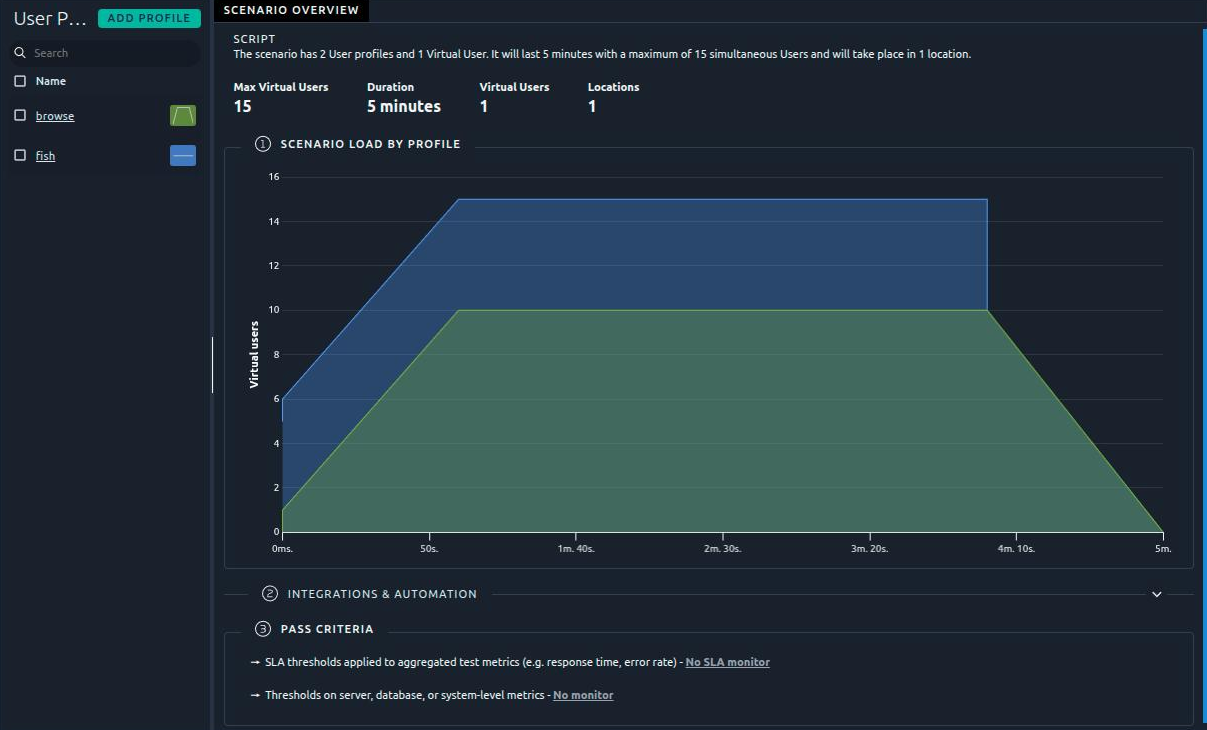
The scenario is named after the Virtual User. It holds one user profile per K6 scenario, named after it, on the default location of the project. Each user profile runs the entrypoint, and carries the exec function, the gracefulStop and the env variables of its K6 scenario:
Conversion rules
Each K6 executor becomes the load policy of its user profile:
| K6 executor | OctoPerf user profile |
|---|---|
constant-vus |
A plateau of vus users during duration, after a delay of startTime. |
ramping-vus |
A custom load: zero users until startTime, then startVUs (1 by default), then one point per stage. |
per-vu-iterations |
vus users running iterations iterations each, for at most maxDuration (10 minutes by default). |
shared-iterations |
Approximated: vus users running iterations divided by vus each, rounded up. K6 lets a fast VU take more of the shared iterations. |
constant-arrival-rate |
Not converted: a throughput target, where an OctoPerf user profile holds a number of concurrent users. |
ramping-arrival-rate |
Not converted, for the same reason. |
| any other executor | Not converted, externally-controlled among them. |
Some settings of a converted K6 scenario are ignored:
- the
startTimeof an iteration-based scenario (per-vu-iterations,shared-iterations): its users start with the test, gracefulRampDown: OctoPerf stops at once the users a ramp-down removes, so the test lasts what the scenario announces,- the
tagsof the scenario: the samples carry the tags of OctoPerf.
The conversion is best effort: it creates what it can express and lists the rest, rather than approximating it silently. The notification of the import names every K6 scenario that did not cross over as it is, with the reason:
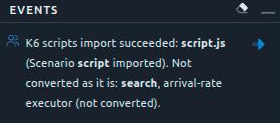
Here the search scenario, a constant-arrival-rate executor, was left out of the scenario. When no K6 scenario can be converted, the Virtual User is still created, but no scenario is.
Info
The load always comes from the OctoPerf scenario: at run time, the scenarios, vus, duration, iterations and stages of the script are ignored, and the sanity check says so.
Other ways to import a K6 test
The same import, the scenario included, is available without the web interface:
- the
import-k6goal of the OctoPerf Maven plugin, which runsk6 inspectfor you in a CI/CD pipeline, - the
import_k6_virtual_userandcreate_scenario_from_k6_optionstools of the MCP server, for an AI assistant.