Events panel
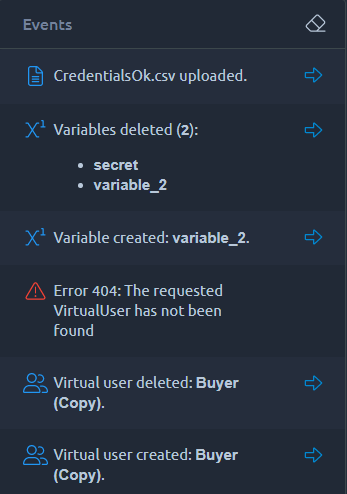
The events panel keeps track of all your actions throughout OctoPerf. It lists every object you add/edit/remove. Thanks to this you are able to navigate through your previous changes and fix potential issues.
Info
In the interest of performance, the list is limited to the most recent 100 events.
| Action | Description |
|---|---|
 |
Clear the Events panel. |
 |
Go to event location. |
 |
Copy the whole text of a copy event once more. |
Warning
The go to event location button will open the view where the action took place. If this view doesn't exist anymore, you might get a 404 error.
Copy events
Each time you copy something in OctoPerf, such as the value of an extracted variable, an event shows the copied text on one line, cut when it is long. Copy again puts the whole text back in your clipboard, without adding a new event.
A secret value shows as ****** and has no Copy again: the Events panel never keeps it.