> OctoPerf load testing - If Action documentation page. If Actions executes its children actions (or not) depending on a condition.
Source: https://api.octoperf.com/doc/design/edit-virtual-user/action-types/logic-actions/if-action/
# If Action
{ align=left }
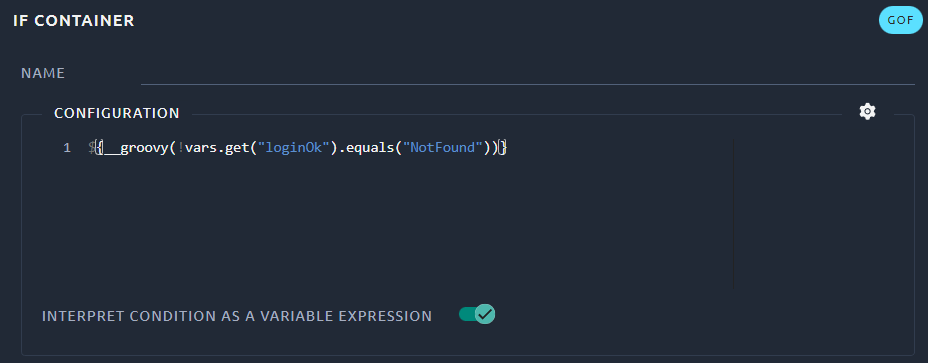
The If Action allows you to control **whether its children are run or not**. It allows your virtual users to continue under [certain conditions](#check-condition) or to use [conditional branching](#conditional-branching).
The condition can be written with the old syntax but it is recommended to use the new one when the [variable expression](#recommended-syntax) check box is activated. We will use the new syntax in our examples since that is the recommended way.
!!! Warning
Be careful since only children of the If Action will be impacted. Use the indentation to check that your If Action is correctly setup.
## Condition builder
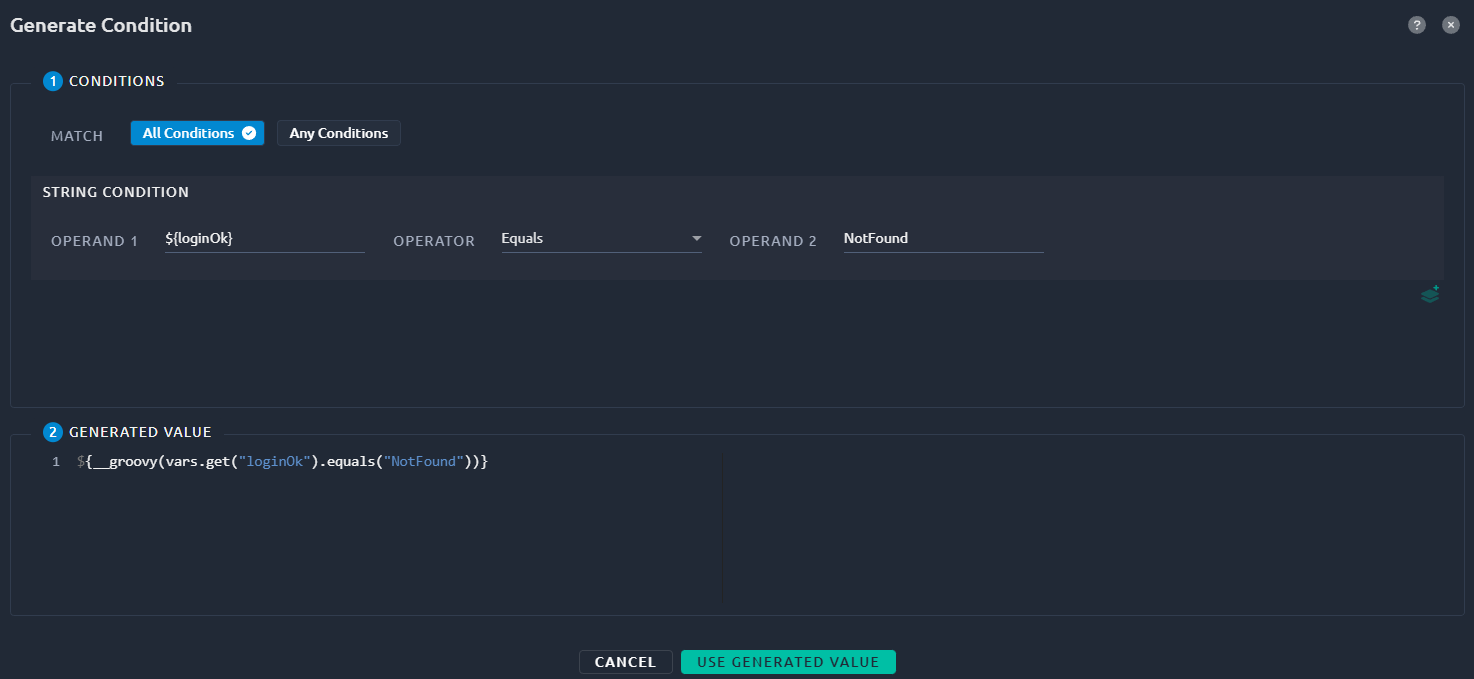
A good starting point is to use our condition builder through the { .off-glb } icon:
| Name | Description |
| --------------- | ------------------------------------------------------------ |
| Match | Use **All conditions** for a logical **AND** between all conditions below. **Any conditions** acts as a logical **OR** instead. |
| Conditions | List of conditions, default is String conditions, but you can choose Integer when adding a new one using the { .off-glb } button. |
| Generated value | The resulting code that will be added to your IF action. |
## Recommended syntax
By default, OctoPerf will activate the new syntax and generate all expressions in that mode:

The variable expression syntax is the recommended mode in JMeter since version 2.3.3 (released in 2009).
| Recommended | Deprecated |
| ------------------------------------------------------------ | ------------------------------------------- |
| ${__groovy(vars.get("isLogin").toInteger() < 30)} | ${isLogin} < 30 |
| ${__groovy(!vars.get("loginOK").equals("NotFound"))} | "${loginOK}" != "NotFound" |
| \${__groovy(\${count} < 10 && !vars.get("categoryId").equals("abc"))} | \${count} < 10 && "\${categoryId}" != "abc" |
!!! warning
When using the deprecated mode, any condition used is evaluated in javascript by the IF controller. This is inefficient, especially for complex conditions and large load tests.
## Example use cases
### Check condition
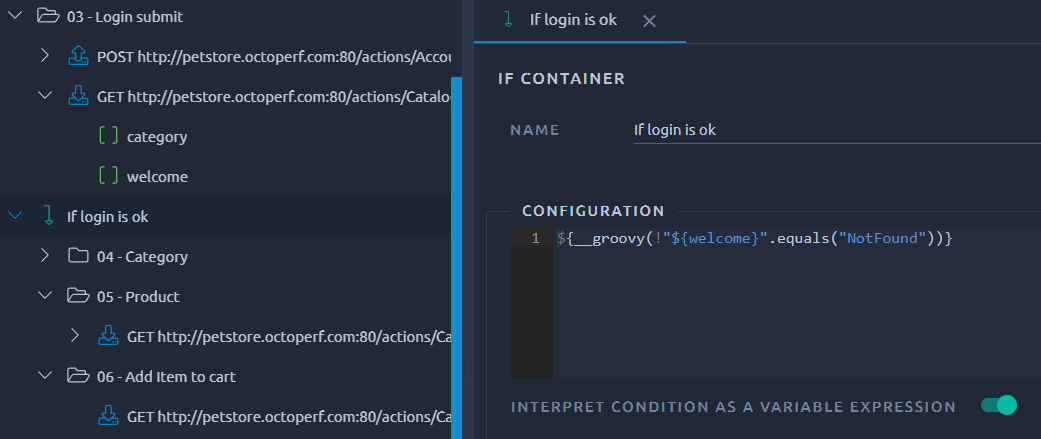
A common example is to control if the login is ok before running the rest of the script.
This can be achieved in combination with a [Regexp Action](https://api.octoperf.com/doc/design/edit-virtual-user/action-types/post-processors/regexp-variable-extractor/):
!!! tip
You can download a JMX of this example here and import it in your project using the JMeter project option.
### Conditional branching
Another example is conditional branching, typically to do either a login or an account creation before proceeding:
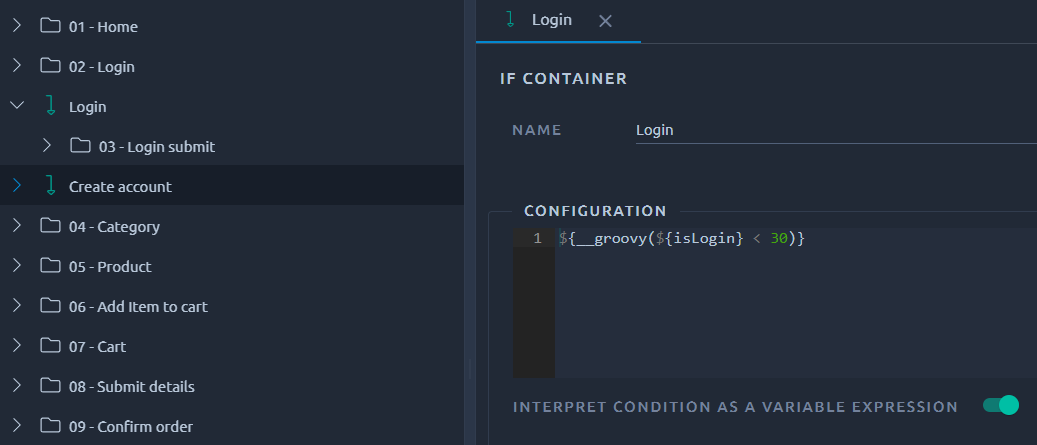
In this example we also need a random variable named `isLogin` which is between 1 and 100.
!!! tip
You can download a JMX of this example here and import it in your project using the JMeter project option.