> OctoPerf load testing - Design documentation page. How to create a new Virtual User by importing HAR files, JMeter JMX files or a list of URLs.
Source: https://api.octoperf.com/doc/design/
# The Virtual Users Page
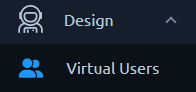{ align=left }
The Virtual users page lets you list and create [Virtual Users](https://api.octoperf.com/doc/design/edit-virtual-user/).
It is the landing page of each project, but also accessible through a click on the left _Virtual users_ menu.
## Virtual users
A Virtual User (shortened VU) represents a user journey through your application. It lets you simulate a real user behavior.
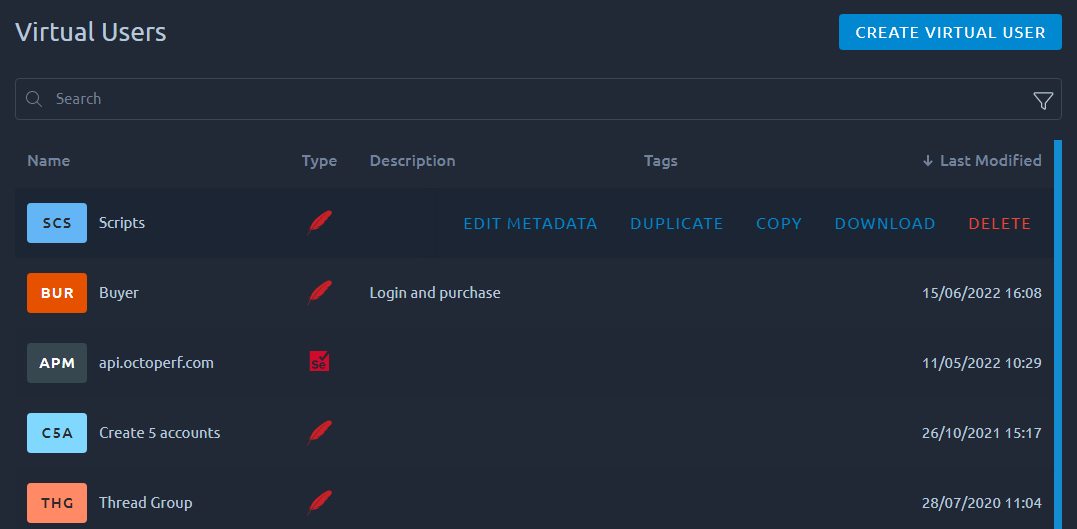
For each VU, the list displays:
* Name,
* Type of VU (JMeter, WebDriver or Test Fragments),
* Description or if empty, the contents of the VU,
* Tags of this VU,
* Last modified date.
## Virtual Users list actions

Several actions are available **when you place your mouse over a Virtual User in the list**:
| Action | Description |
|-------------------------------------|-------------------------------------------------------------------------------------------------------------------------------------------------------------------------------------------------------------------------------------------------------------|
| [Edit Metadata](#edit-virtual-user) | Change the VU name, description and tags. |
| Download OctoPerf JMX | Download the [JMeter](https://jmeter.apache.org/) **JMX file** corresponding to this VU. Preserve OctoPerf compatibility. Keep all actions in order to reimport this JMX into another OctoPerf project. You might not be able to open it in JMeter anymore. |
| Download JMeter JMX | Download the [JMeter](https://jmeter.apache.org/) **JMX file** corresponding to this VU. Preserve JMeter compatibility. Remove all actions specific to OctoPerf in order for this JMX to work in JMeter at all cost. |
| Download Playwright Script files | Download Playwright script files corresponding to this VU. |
| [Download K6 Script files](https://api.octoperf.com/doc/design/edit-virtual-user/action-types/k6-actions/k6-script-action/#download) | Download the K6 scripts of this VU as a ZIP file, ready to [run with k6](https://api.octoperf.com/doc/design/edit-virtual-user/action-types/k6-actions/k6-script-action/#run-it-with-k6) on your machine. |
| Duplicate | Duplicate your VU. |
| [Copy](#copy-virtual-user) | Copy this VU to another project. See [dedicated section](#copy-virtual-user) below. |
| [Delete](#remove-virtual-user) | Remove a VU. **This operation cannot be reverted** so proceed with caution. |
Each download is a ZIP file holding the VU in a folder named after it, ready to run on your machine:
- **JMX files** run one iteration of one user, with every file of the project in a `resources/` folder, as on a load generator. Secrets are never written to the file: pass each one as a JMeter property, for example `jmeter -n -t UserJourney.jmx -JPASSWORD=secret`.
- **Playwright files** hold the `package.json` and the spec files: run `npm install`, then `npx playwright test`. The first time, `npx playwright install chromium` installs the browser.
- **K6 files** run with `k6 run`, as described in [Run it with k6](https://api.octoperf.com/doc/design/edit-virtual-user/action-types/k6-actions/k6-script-action/#run-it-with-k6).
!!! Info
The search functions are detailed in [this section of the navigation page](https://api.octoperf.com/doc/navigation/#filters).
## Create Virtual User
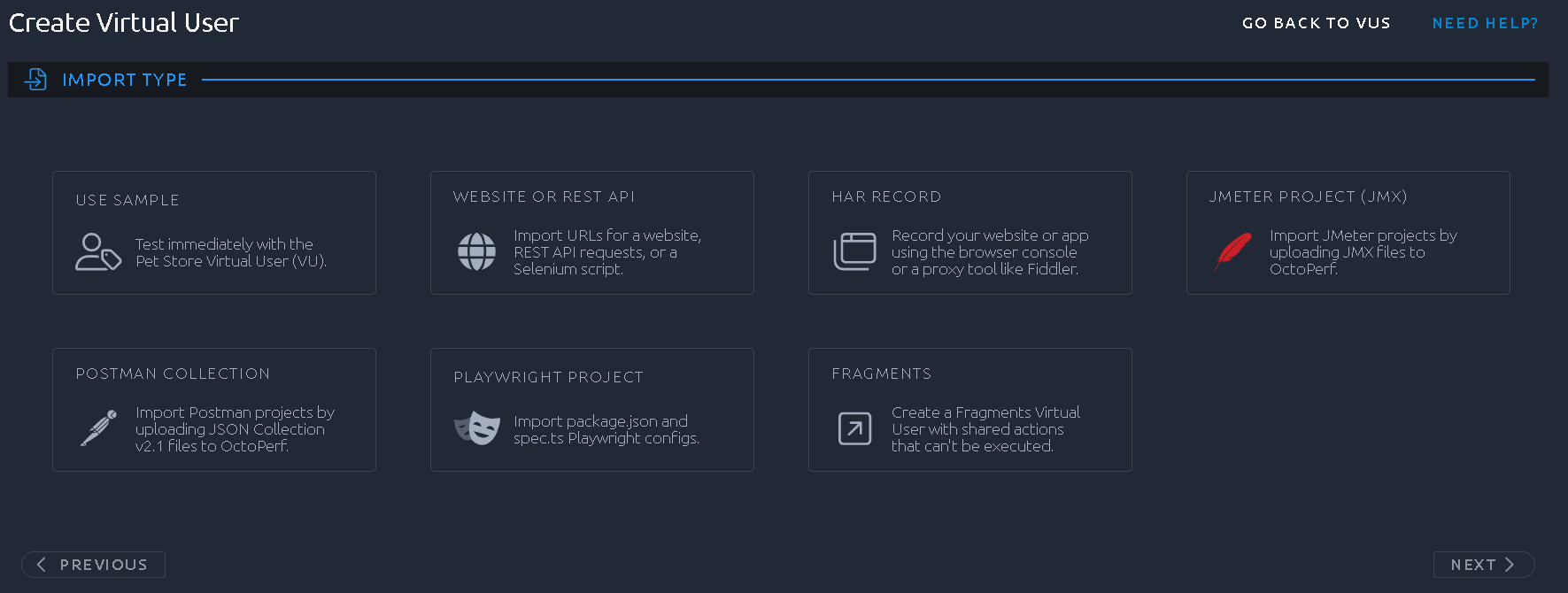
To create a new virtual user simply click on the _Create virtual user_ button. You are then prompted with several options:
- Use Sample
---
This option will create a sample virtual user that tests against our demo application.
[:octicons-arrow-right-24: Demo application](https://petstore.octoperf.com)
- Manual creation
---
Using this option you can create a virtual user from a simple website or API URL.
[:octicons-arrow-right-24: Reference](https://api.octoperf.com/doc/design/create-virtual-user/website-rest/)
- HAR Record
---
Use this option to import an HAR generated in your favorite browser/proxy.
[:octicons-arrow-right-24: Reference](https://api.octoperf.com/doc/design/create-virtual-user/har-recorder/)
- JMeter Project (JMX)
---
Import an existing JMeter project.
[:octicons-arrow-right-24: Reference](https://api.octoperf.com/doc/design/create-virtual-user/import-jmeter-jmx/)
- Postman Collection
---
Import an existing Postman Collection.
[:octicons-arrow-right-24: Reference](https://api.octoperf.com/doc/design/create-virtual-user/import-postman-collection/)
- Playwright Project
---
Import a Playwright script and execute a headless browser.
[:octicons-arrow-right-24: Reference](https://api.octoperf.com/doc/design/create-virtual-user/import-playwright-node-project/)
- K6 Scripts
---
Import the JavaScript or TypeScript files of a K6 test, and the scenario its options declare.
[:octicons-arrow-right-24: Reference](https://api.octoperf.com/doc/design/create-virtual-user/import-k6-scripts/)
- Fragments
---
Fragments VU are a special kind of virtual user that cannot be executed. Their actions are meant to be shared using Link Actions.
[:octicons-arrow-right-24: Reference](https://api.octoperf.com/doc/design/edit-virtual-user/action-types/logic-actions/link-action/)
## Edit Virtual User
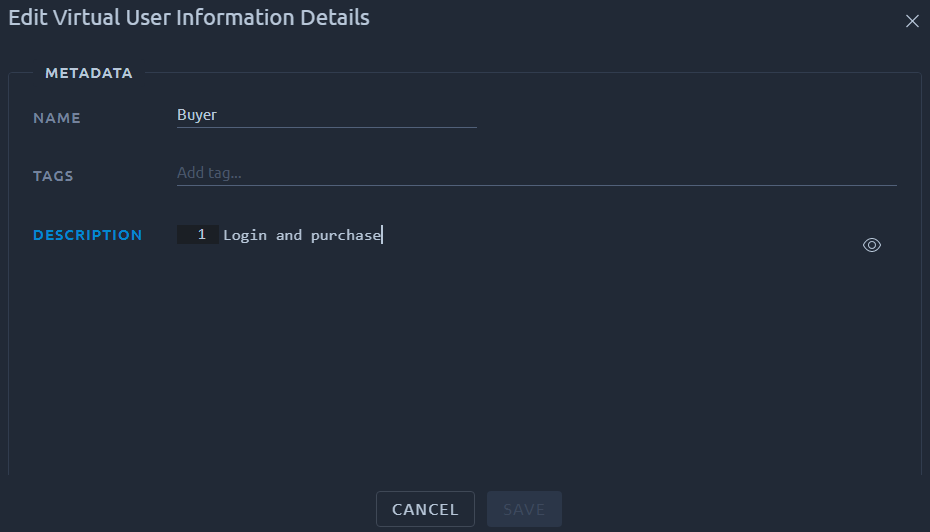
This screen allows you to rename your VU or change tags and description.
!!! info
The description can contain [markdown](https://en.wikipedia.org/wiki/Markdown)/[HTML](https://developer.mozilla.org/en-US/docs/Web/HTML), it can be configured with our [code editor](https://api.octoperf.com/doc/design/edit-virtual-user/code-editor/).
## Copy Virtual User
This action allows you to **create an exact copy of your virtual user in another project**.
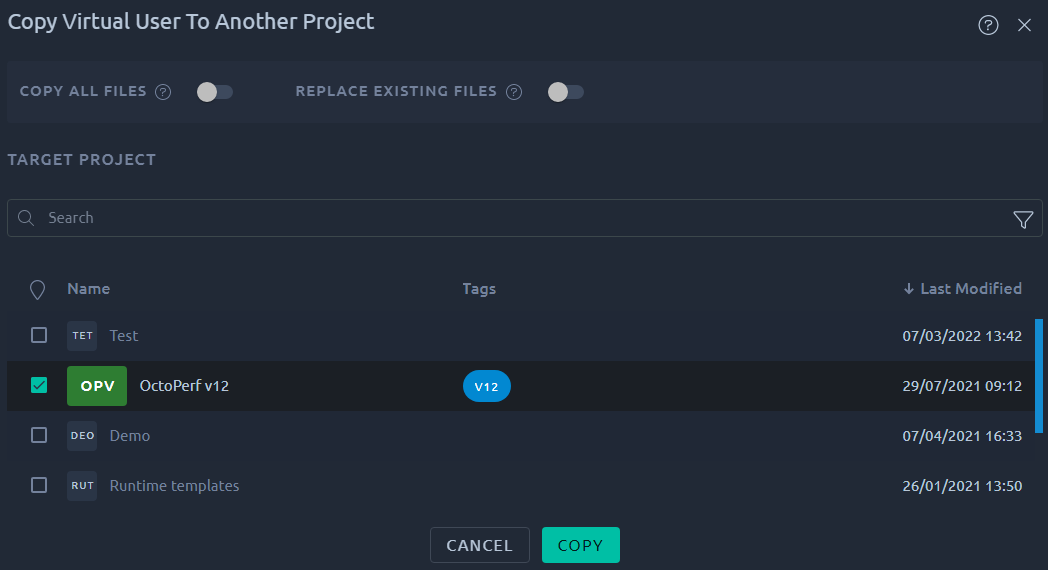
The transfer is completed once you **click on the project name** in the list of projects.
Because a virtual user can be related to some [Files](https://api.octoperf.com/doc/design/edit-virtual-user/configuration/files/), conflicts with the remote project may happen. For example when a required file already exists in the target project. These conflicts can be handled through the copy options:

| Action | Description |
| --------- | ------------------------------------------------------------ |
| Required | We will try to assess which files are required for this VU to properly function. Note that files referenced in script actions or other dependencies may be difficult to locate. |
| All | In case the `Required` option did not copy the files you expected, it is possible to ask for a complete copy of all files. |
| Skip | This option will handle conflicts with **identical file names in the target project by skipping** the copy. |
| Overwrite | This option will handle conflicts with **identical file names in the target project by overwriting** the destination files. |
!!! warning
**The default settings are made to be less intrusive** since we will only try to copy required file with no overwrite in the remote project. Be careful because **other options can lead to breaking changes in the remote project**.
## Remove Virtual User
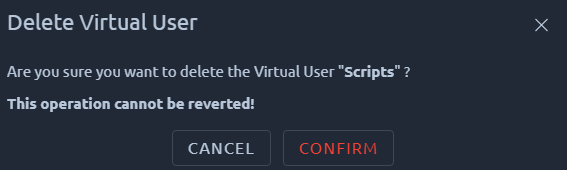
The following procedure explains **how to remove a virtual user and all of its content**:
1. Go on the design page,
2. Place your mouse over the VU you want to remove,
3. Click on the _Delete_ button that appears on the far right,
4. Click on _Confirm_ to confirm the deletion.
!!! warning
Deleting a VU cannot be reverted, proceed with caution. Linked elements like variables and servers will not be removed since they could be used by other VUs.